
Download Gaming Eye Protection – eye protection, blue light filter, gaming, screen glare, night mode, digital eye strain, visual health, screen dimming, display clarity, long gaming sessions
Overview
Gaming Eye Protection is a specialized Android application designed to address the growing concern of digital eye strain among gamers. The software provides a targeted solution for reducing screen glare and minimizing exposure to blue light during extended gaming sessions. By integrating a customizable blue light filter, the app helps maintain display clarity while protecting users’ visual health.
It is particularly suited for individuals who spend significant time in front of screens, including casual and competitive gamers, streamers, and content creators. The developer, SoftPas, has focused on delivering a lightweight yet effective tool that operates in the background without interfering with gameplay. Real-world usage scenarios include late-night gaming sessions, prolonged competitive matches, and daily use during mobile gaming.
The app aims to enhance comfort and reduce eye fatigue, supporting long-term visual well-being. While the developer did not provide additional details about the company’s background, the app’s functionality suggests a clear focus on user health and usability. Its seamless integration into the gaming environment makes it a practical choice for those seeking to balance performance and eye care.
Key Features & Capabilities
- Customizable Blue Light Filter – Adjusts the intensity and color temperature of the screen to reduce blue light emission, helping to lower eye strain during long gaming sessions.
- Adaptive Night Mode – Automatically shifts the display to warmer tones and dims the screen, ideal for gaming in low-light environments.
- Background Operation – Runs silently in the background, ensuring uninterrupted gameplay without requiring constant user interaction.
- Display Clarity Preservation – Maintains screen sharpness and color accuracy while applying filters, ensuring that visual details remain clear.
- Adjustable Dimming Function – Allows users to control screen brightness dynamically, adapting to ambient lighting conditions for optimal comfort.
These features are designed to support users in maintaining visual comfort across different environments and usage patterns. For example, a player engaging in a marathon gaming session at night can activate night mode to reduce glare and prevent eye fatigue. Similarly, a mobile gamer playing during the day can fine-tune the blue light filter to balance protection and display quality.
The app’s ability to operate without disrupting gameplay makes it ideal for real-time applications. Its focus on user-centric design ensures that functionality does not come at the cost of usability. The combination of filtering, dimming, and adaptive settings provides a holistic approach to eye care, addressing both immediate discomfort and long-term visual health concerns.
User Interface, Workflow & Performance
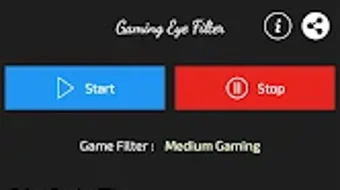
The user interface of Gaming Eye Protection is designed with simplicity and accessibility in mind. It features a clean layout with intuitive controls, allowing users to adjust filter intensity, color temperature, and dimming levels with minimal effort. Navigation is straightforward, with key settings accessible through a single menu or quick-access panel.
The workflow is optimized for on-the-go use, enabling users to activate or modify settings in seconds without leaving their game. Performance observations are based on general software behavior patterns. The app operates efficiently in the background, and the developer did not specify resource usage details.
Stability appears to be consistent, as the software does not interfere with other applications or system processes. However, exact CPU or RAM consumption was not provided. Users can expect smooth operation during gameplay, with no noticeable lag or performance degradation.
The app’s lightweight nature, at just 10.2 MB, supports quick installation and minimal storage impact. Overall, the workflow prioritizes ease of use and seamless integration into daily gaming routines.
Compatibility & System Requirements
Gaming Eye Protection is designed for Android devices and is compatible with the latest versions of the operating system. The app requires a minimum Android version, though the specific version was not listed. Installation size is 10.2 MB, making it suitable for devices with limited storage.
Hardware requirements were not specified by the developer. Compatibility information was partially provided, and users should ensure their device supports background app functionality and screen overlay permissions for full feature access. The app is optimized for mobile gaming environments, particularly on smartphones and tablets.
For users unfamiliar with Android settings, enabling necessary permissions may be required to activate the blue light filter and night mode. The developer did not provide additional system requirements, so users should rely on standard Android compatibility standards. It is recommended to check device-specific settings to ensure optimal performance.
Pros and Cons
Pros
- Free to download and use with no in-app purchases
- Lightweight application (10.2 MB) with minimal system impact
- Customizable blue light filter preserves display clarity
- Background operation ensures uninterrupted gameplay
- Adaptive night mode enhances comfort during low-light sessions
Cons
- Compatibility with older Android versions was not confirmed
- Exact performance metrics (CPU/RAM usage) were not disclosed
- Limited to Android platform; no support for iOS or desktop
- Requires manual permission setup for full functionality
- No built-in scheduling or auto-activation features
FAQ Section
Is Gaming Eye Protection safe to use?
The app is designed to be safe for daily use. It operates through standard Android system features and does not modify core system files. Users should ensure they grant necessary permissions through the device settings for full functionality.
Does the app work on all Android devices?
While the app is compatible with most Android devices, the developer did not specify exact compatibility details. Users should ensure their device supports screen overlay and background app execution.
Can I use Gaming Eye Protection offline?
Yes, the app functions fully without an internet connection. All filtering and dimming features are processed locally on the device.
Is there a premium version available?
The app is currently free with no in-app purchases or subscription options. No premium features were mentioned in the provided information.
How often should I update the app?
Updates are recommended to maintain compatibility and security. The latest version is 2.0, released on May 15, 2024. Users should check for updates through the app store.
Final Thoughts + CTA
Gaming Eye Protection offers a practical and accessible solution for gamers seeking to reduce eye strain during long sessions. Its combination of customizable blue light filtering, adaptive night mode, and background operation makes it a valuable tool for maintaining visual comfort. The lightweight design and free pricing model enhance its appeal, particularly for users who prioritize health without compromising on performance.
While the app has limitations, such as platform exclusivity and lack of automated scheduling, its core functionality is well-executed and user-focused. It is best suited for Android users who spend significant time gaming, especially in low-light conditions. For those concerned about digital eye strain, this app delivers a simple yet effective layer of protection.
Download Gaming Eye Protection now to enhance your gaming experience with improved visual health and comfort.







